
How can I place an order?Updated 3 months ago
We are thrilled that you are considering purchasing our products. We know, based on customer feedback and our high-quality standards, that you will love them. We stand behind all of our products with a 90-day money-back guarantee, so you can shop with confidence! We accept orders both on our website and by phone.
To order over the phone, you may call us at (800) 930-5965 during the following business hours:
Monday-Friday: 9 AM - 7 PM ET
Saturday & Sunday: 9 AM - 5 PM ET
However, our website is always available to accept your order!
Here is how you may place an order on our website:
- From the main page of the website, stonehengehealth.com, click or tap on the "Shop All" tab in the top navigation bar in the center.

- Select a product or bundle, or find products by the benefits you are interested in purchasing from the navigation bar at the top.
- You will see boxes where you can select different quantities and offers for the product. You may need to scroll down to see them on a mobile device.
- The top 3 options are different subscription offers. The bottom option, "One-Time Purchase," will allow you to purchase the product without a subscription. Once you select "One-Time Purchase," you can choose among a single bottle, a three-bottle bundle, or a six-bottle bundle.
- The more bottles you purchase, the greater your savings per bottle.
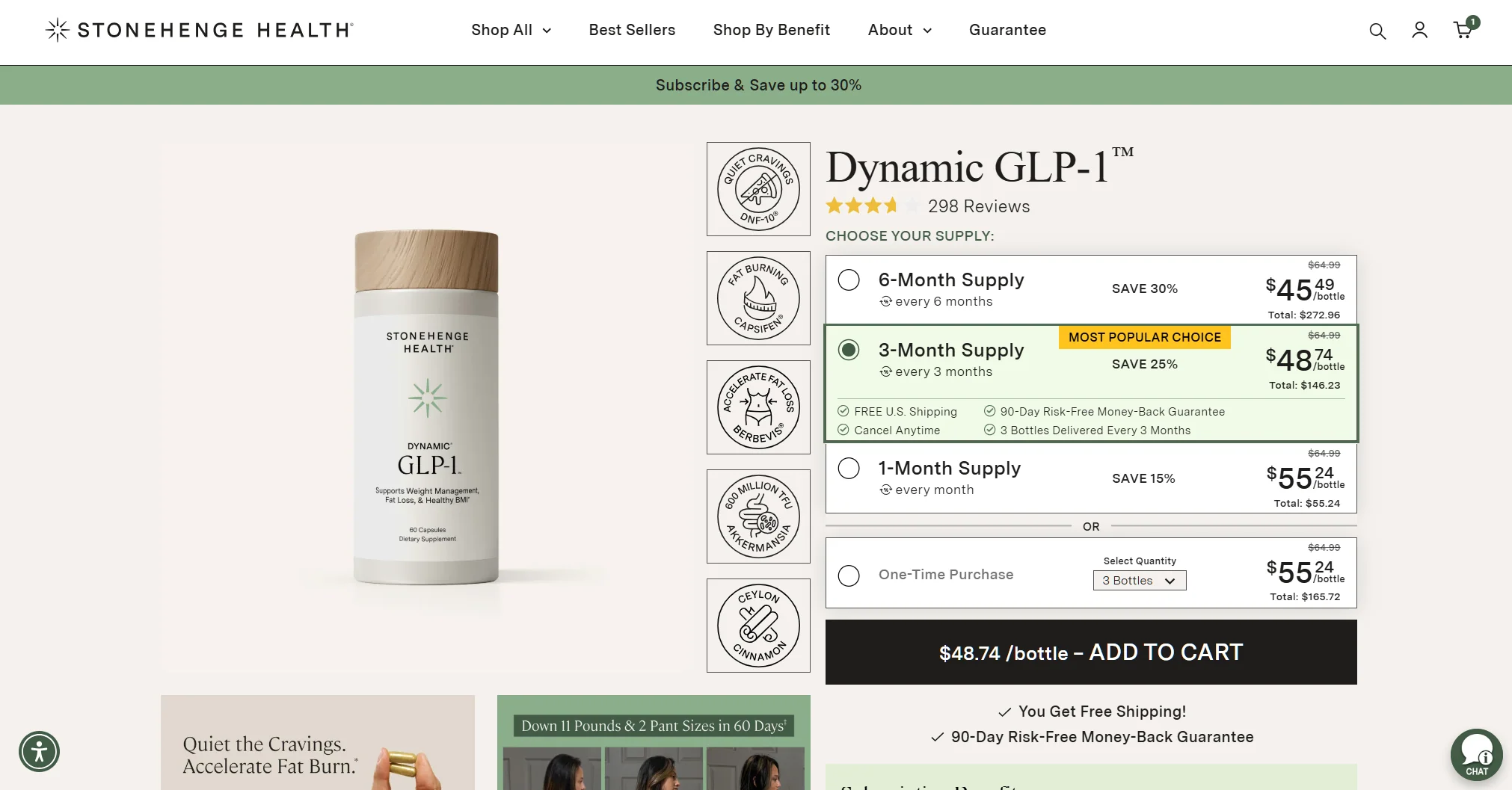 - Once you have selected the correct item and quantity you wish to purchase, scroll down until you see the black "Add to Cart" button beneath the offers. Then, click or tap it to add the product to your cart.
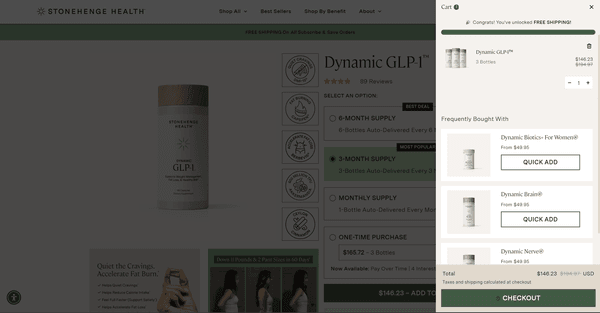
- The website will load your cart, which will appear on your screen. You can modify items in your cart, update items to subscription or 1-time purchase, or add suggested products with one tap or click. If you want to add more products to your order first, click the "X" at the top right of the cart window. Otherwise, you can continue to purchase the product you selected by clicking the green "Checkout" button at the very bottom of the cart area. Then you can begin filling out the information for your order, starting with the shipping details.
- If you choose to continue shopping, you can click on the shop tab at the top, the same as before, to select additional products to add to your purchase.
 - For Express Checkout, you may select PayPal or ShopPay buttons at the top. This will walk you through logging into your payment account to complete your purchase quickly with your saved information.
- If paying by credit card or checking out as a guest, scroll down and fill out the requested information needed to ship your order, such as name, address, phone number, and email address for order updates. You may also select the checkbox to opt in to receiving text messages, and enter a cell phone number to receive text updates on your order and special offers.
- The address field will pop up suggestions based on what you have typed, to ensure accuracy and minimize potential typos in your address. You may click or tap on one of the suggestions at any time to have the system automatically fill out the rest for you.
- Once you have entered a shipping address, scroll down, and you will be able to select from different shipping options for your order. Make a selection, then continue scrolling down the page.
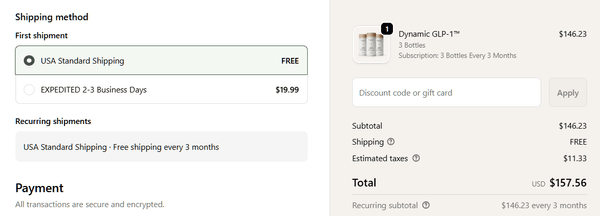 - Continue scrolling down until you see the box to enter your credit card information. You also have the option to select to pay via PayPal at this point.
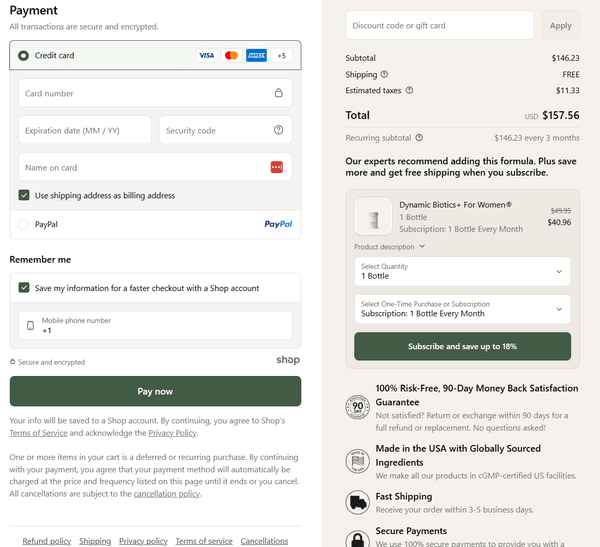 - Click on the green "Pay Now" button at the bottom.
- Your purchase may qualify you for exciting additional offers!! You may add or decline any additional discounted offers you see.
- You will receive an email confirming your purchase, and your order will be promptly prepared for shipping!